The Input Minimum/Maximum Popup Editor, accessible by clicking the drop-down control in any window where Inputs appear, allows you to specify the minimum or maximum of an input’s variation in several ways:
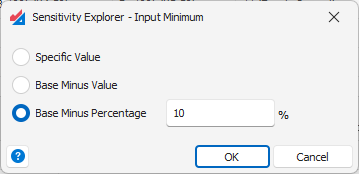
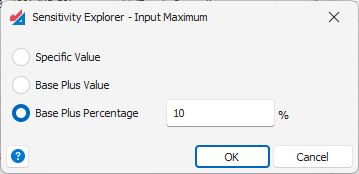
Specific Value – An explicit minimum or maximum.
Base Minus/Plus Value – A relative value, determined by adding or subtracting an amount from the current base-value of the cell.
Base Minus/Plus Percentage – A relative value, determined by adding or subtracting a percentage of from the current base-value of the cell.
Note: If an input cell has a value of zero or is a date value, the percentage option is not allowed.
See the article Inputs and Outputs Overview for more general information about inputs and outputs.
Was this article helpful?
That’s Great!
Thank you for your feedback
Sorry! We couldn't be helpful
Thank you for your feedback
Feedback sent
We appreciate your effort and will try to fix the article